PCS Weight Allowance Calculator
Estimate your household goods (HHG) weight allowance for planning purposes. Select your military details below and view an estimated weight allowance before your PCS move.
Your Estimated Result
Complete the calculator to receive your estimate.
What Is a PCS Weight Allowance Calculator?
A PCS Weight Allowance Calculator is a planning tool that helps military members estimate how much household goods (HHG) they may be authorized to move during a Permanent Change of Station (PCS). Knowing your estimated weight allowance before packing makes it easier to organize your belongings, avoid unnecessary items, and prepare for your move with greater confidence.Instead of guessing how much you can ship, the calculator uses basic information—such as your military branch, pay grade, dependency status, and PCS move type—to provide an estimated household goods allowance. This estimate can help you decide what to take, what to place in storage, and what to leave behind before moving day.
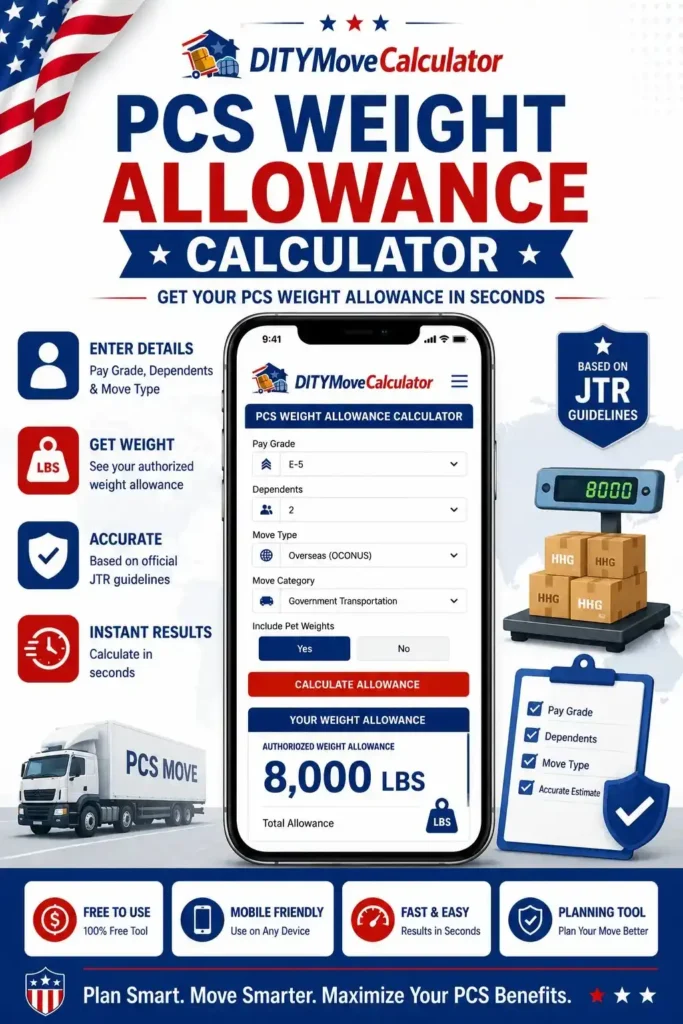
The calculator is useful whether you’re relocating within the continental United States (CONUS) or to an overseas duty station (OCONUS). It gives you a starting point for planning your shipment and helps you prepare questions before meeting with your transportation office.Keep in mind that this calculator is designed for planning purposes only. It does not replace the guidance in your official PCS orders. Your authorized household goods weight allowance is determined by current military transportation regulations, your PCS orders, and your individual moving circumstances.
Using a PCS Weight Allowance Calculator early in the relocation process can help you pack more efficiently, reduce the risk of exceeding your authorized weight, and make your move easier to manage. It is a simple way to stay organized and begin your PCS with a clear understanding of what your shipment may include.
See More:
How Our PCS Weight Allowance Calculator Works
Using the calculator takes only a few minutes. Enter the requested information, and the tool will estimate your household goods weight allowance based on the details you provide. The estimate is intended to help you plan your move before packing or scheduling your shipment.
Select Your Military Branch
Start by choosing your military branch. This helps organize the estimate based on the type of PCS move you are planning. Select the branch that matches your current service before moving to the next step.
Choose Your Pay Grade
Next, select your current pay grade. Household goods weight allowances are linked to your grade, so choosing the correct option helps provide a more accurate planning estimate.
Indicate Whether You Have Dependents
Tell the calculator whether you are moving with dependents. This information helps estimate the appropriate household goods allowance for your relocation planning.
Select Your PCS Move Type
Choose the type of PCS move you are preparing for, such as a move within the United States or an overseas assignment. This helps the calculator organize your estimate according to your relocation plans.
View Your Estimated Household Goods Weight Allowance
After entering your information, review your estimated household goods weight allowance. Use the result to plan your shipment, organize your belongings, and decide what to move, store, or leave behind before packing begins.
Planning Tip
For the best results, enter accurate information and use the estimate early in your PCS planning. Before arranging your shipment, always compare the estimate with your official PCS orders and confirm your authorized household goods weight allowance with your transportation office.
Army
Estimate HHG weight allowance.
Navy
Check your PCS weight estimate.
Air Force
Plan your household goods shipment.
Marine Corps
Review estimated weight limits.
Coast Guard
Prepare for your upcoming PCS.
Space Force
Estimate your authorized allowance.
- ✓ Supports CONUS & OCONUS PCS Moves
- ✓ Based on Military Pay Grade
- ✓ Dependents Included
- ✓ Instant Weight Estimate
- ✓ Planning Tool Only
CONUS vs OCONUS Household Goods Allowances
Moving within the United States and moving overseas both include household goods shipments, but the shipping process is not always the same. Understanding these differences can help you prepare your belongings before your PCS.
| Topic | CONUS PCS | OCONUS PCS |
|---|---|---|
| Household Goods Shipment | Items are shipped to another location within the United States. | Items are shipped internationally to an overseas duty station. |
| Storage Options | Storage may be available when approved for your move. | Overseas assignments may include storage for items that cannot be shipped. |
| Weight Limits | Based on your authorized PCS weight allowance. | Also based on your authorized allowance, but overseas shipment rules may affect what can be sent. |
| Special Restrictions | Fewer shipping restrictions for most household items. | Some destinations may limit certain household goods because of local regulations or transportation requirements. |
| Delivery Timeline | Shipments generally arrive sooner because they remain within the United States. | International transportation, customs processing, and destination requirements may increase delivery time. |
Final Thoughts
Knowing your estimated PCS household goods weight allowance before you pack can save time, reduce stress, and help you make better decisions throughout your move. By understanding how much you are likely authorized to ship, you can organize your belongings, avoid unnecessary items, and prepare for conversations with your transportation office before moving day. Our PCS Weight Allowance Calculator is designed to give you a simple planning estimate in just a few steps. Whether you’re moving within the continental United States or to an overseas duty station, the calculator helps you start your relocation with a clearer plan.
Remember that every PCS move is unique. Your official household goods weight allowance is determined by your PCS orders and current military transportation regulations. Before scheduling movers or shipping your belongings, review your orders and confirm your authorized allowance with your transportation office. Use this calculator whenever you’re preparing for a PCS move, comparing moving plans, or organizing your household goods. Planning ahead can help make your relocation more organized, more efficient, and easier to manage from start to finish.
Frequently Asked Questions
Here are answers to common questions about PCS household goods weight allowances and how to use this calculator for move planning.
A PCS weight allowance is the maximum amount of household goods you are authorized to ship during a Permanent Change of Station. The authorized amount depends on your PCS orders and other official military guidelines.
Household goods weight is determined by weighing your packed shipment. The total weight of eligible household items is compared with your authorized allowance to determine whether you remain within the approved limit.
Yes. Your pay grade is one of the factors used when determining your authorized household goods weight allowance. Higher pay grades may qualify for different weight limits.
Dependency status may affect your authorized allowance in certain situations. Your official PCS orders and current military guidance determine the weight you are authorized to move.
If your shipment exceeds your authorized weight, you may be responsible for additional costs. Estimating your shipment before packing can help reduce the risk of going over your limit.
Yes. Army personnel can use this calculator to estimate their household goods weight allowance while planning a PCS move.
Yes. Air Force members can use the calculator as a planning tool before arranging their household goods shipment.
Yes. Navy service members can use the calculator to estimate their household goods allowance before beginning the moving process.
Yes. You can use the PCS Weight Allowance Calculator free of charge to estimate your household goods allowance whenever you are planning a move.
Always verify your authorized household goods weight allowance by reviewing your PCS orders and speaking with your transportation office before scheduling your shipment.