
PCS Travel Days Calculator
Estimate your PCS travel days for planning purposes. This calculator provides an estimate only and does not replace your official PCS orders.
Your Estimated Result
Military Branch:
Move Type:
Estimated Distance: Miles
Estimated PCS Travel Days:
Disclaimer: This calculator is for planning only. Official authorized PCS travel days are determined by your PCS orders and the applicable Joint Travel Regulations (JTR).
Planning a Permanent Change of Station (PCS) involves more than choosing a moving date. One of the first questions many service members ask is, “How many travel days am I authorized?” Knowing your estimated travel days can help you organize your schedule, book lodging, manage leave, and arrive at your new duty station on time. Our PCS Travel Days Calculator is designed to make that planning easier. Instead of searching through multiple resources, you can enter your travel details and receive an estimate based on your planned move. Whether you’re relocating within the continental United States (CONUS) or preparing for an overseas assignment (OCONUS), the calculator gives you a practical starting point for planning your trip.
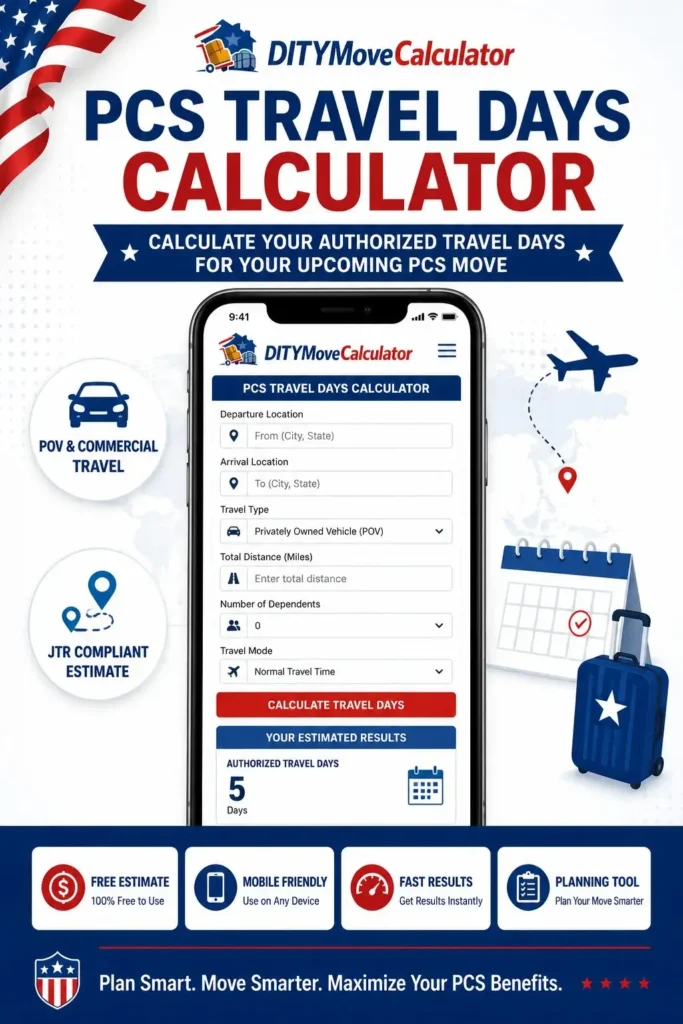
Several factors can affect your estimated travel days. These include your starting location, destination, authorized mode of transportation, travel distance, and the instructions listed in your PCS orders. Because every relocation is different, there isn’t a single answer that applies to every military move. The calculator helps you understand how these details work together so you can prepare with greater confidence. Many military families begin planning hotels, fuel stops, pet travel, and reporting dates weeks before moving day. Having an estimate of your authorized travel days early in the process makes it easier to build a realistic travel plan and avoid last-minute changes.
While this calculator provides a helpful estimate, it should be used as a planning tool rather than an official determination. Your final authorized travel days are based on your PCS orders and the applicable Joint Travel Regulations (JTR). Use the PCS Travel Days Calculator to estimate your travel schedule, compare different travel plans, and prepare for your next move with greater confidence. A little planning before you leave can make your entire PCS journey smoother for you and your family.
See More:
What Is a PCS Travel Day?
A PCS travel day is an authorized day of travel given to a service member during a Permanent Change of Station (PCS). These days are intended to give you enough time to travel from your current duty station to your new one while following your approved travel orders. Many people think travel days and leave are the same, but they are not. Travel days are authorized for your relocation, while leave is personal time that must be approved separately. Understanding the difference can help you avoid reporting late or using more leave than necessary.
The number of authorized travel days depends on your specific move. Factors such as your starting location, destination, approved mode of transportation, and whether your move is within the continental United States (CONUS) or outside the continental United States (OCONUS) all play a role. Because every PCS is different, there is no single number of travel days that applies to everyone. Knowing your estimated travel days before you move can make planning much easier. It allows you to organize overnight stops, estimate travel expenses, arrange hotel reservations, coordinate with your family, and prepare for your reporting date without rushing.
A PCS Travel Days Calculator simplifies this process by providing an estimate based on the information you enter. While the calculator is useful for planning, your official authorized travel days are determined by your PCS orders and the applicable Joint Travel Regulations (JTR). Taking a few minutes to estimate your travel days before you begin your move can help you build a realistic travel schedule and reduce unnecessary stress during your PCS. The better your travel plan is before departure, the smoother your relocation is likely to be.
How Does the PCS Travel Days Calculator Work?
Using the calculator only takes a minute, but entering accurate information can make a big difference. Each step helps build a more realistic estimate of your authorized travel days so you can plan your trip, schedule overnight stops, and prepare for your arrival at your new duty station.
Enter Your Starting Location
Begin by entering the location where your PCS travel starts. This is usually your current duty station or the departure point listed in your PCS orders. Choosing the correct starting location helps the calculator estimate your travel route more accurately.
Select Your Destination
Next, enter your new duty station or destination. Whether you are moving within the continental United States (CONUS) or to an overseas assignment (OCONUS), the destination is an important part of estimating your travel schedule.
Choose Your Move Type
Select the option that best matches your PCS. The calculator uses your travel details to estimate authorized travel days based on your planned relocation. Choosing the correct travel information helps produce a more useful planning estimate.
Review Your Estimated Travel Days
After entering your information, the calculator displays an estimated number of travel days. Use the result to plan your driving schedule, hotel stays, reporting date, and overall travel budget. Remember that the estimate is for planning purposes, while your official travel authorization comes from your PCS orders and applicable Joint Travel Regulations (JTR).
Planning Tip
Before using the calculator, have a copy of your PCS orders available if possible. Double-check your starting location, destination, and travel information before calculating your estimate. A few extra minutes spent entering accurate details can help you create a smoother travel plan and avoid last-minute changes during your PCS.
| Comparison | CONUS PCS | OCONUS PCS |
|---|---|---|
| Travel Area | Continental U.S. | Outside the Continental U.S. |
| Transportation | POV, Rental Car, Commercial Travel | Commercial Flight, Military Air, Ship |
| Travel Days | Mileage-Based | Orders & Transportation Schedule |
| Passport | Usually Not Required | May Be Required |
| Vehicle | Drive Your POV | Vehicle Shipment May Apply |
| Household Goods | Standard HHG Shipment | HHG & Unaccompanied Baggage |
| Travel Documents | PCS Orders & Military ID | Orders, ID, Passport (if required) |
| Planning Time | Shorter | Longer |
| Move Complexity | Lower | Higher |
How to Estimate PCS Travel Days Before You Move
Estimating your travel days before your PCS helps you organize your trip with less stress. A few simple checks can give you a realistic travel plan before you receive your final itinerary or begin your relocation.
Review Your PCS Orders
Start by reading your PCS orders carefully. They contain important travel information, including your duty stations, reporting date, and other details that affect your travel schedule.
Confirm Your Travel Route
Know where your trip begins and ends. An accurate starting location and destination help you estimate the time needed for your journey.
Know Your Transportation Method
Your travel plan may include a privately owned vehicle, commercial transportation, or a combination of both. Your approved travel method can affect your estimated travel schedule.
Estimate Your Travel Distance
Calculate the distance between your current duty station and your new assignment. A realistic distance estimate makes planning overnight stops and travel time much easier.
Plan Around Your Reporting Date
Work backward from your required reporting date to create a travel schedule that allows enough time for unexpected delays during your move.
Use a PCS Travel Days Calculator
Enter your travel details into the calculator to receive a planning estimate. Comparing different travel scenarios can help you choose a schedule that best fits your relocation.
Helpful Tip
Even if you already know your destination, avoid waiting until the last week to plan your trip. Estimating your travel days early gives you more time to arrange lodging, prepare your family, organize transportation, and arrive at your new duty station with confidence.
PCS Travel Days Calculator for Every Military Branch
The PCS Travel Days Calculator can be used by service members from every military branch. The estimated travel days shown below are general planning examples based on common PCS moves. Your actual authorized travel days may be different depending on your PCS orders, travel distance, transportation method, and current Joint Travel Regulations (JTR).
| Military Branch | Typical Estimated PCS Travel Days* | Planning Note |
|---|---|---|
| Army | 1–7 Days | Actual travel days depend on your PCS orders and travel distance. |
| Navy | 1–7 Days | Overseas assignments may require additional travel time. |
| Air Force | 1–7 Days | Travel authorization is based on your official orders. |
| Marine Corps | 1–7 Days | Your reporting requirements may affect your travel schedule. |
| Coast Guard | 1–7 Days | Travel plans may vary depending on your assignment location. |
| Space Force | 1–7 Days | Use the calculator as a planning tool before your move. |
Frequently Asked Questions
Find quick answers to common questions about PCS travel days and how our calculator can help you plan your military move.
PCS travel days are the days authorized for you to travel from your current duty station to your new duty station during a Permanent Change of Station. These days allow enough time to complete your move and report as instructed in your PCS orders.
Travel days are based on factors such as your travel distance, destination, approved transportation, and the guidance in your PCS orders. The calculator uses this information to provide a planning estimate, but your official travel days are determined by the military.
There is no single number that applies to every PCS. The number of authorized travel days depends on your individual move. Your official travel days will be listed in your PCS orders.
Yes. A move within the continental United States (CONUS) is often planned differently from an overseas (OCONUS) move. Overseas travel may include flights, additional processing, or other travel requirements that can affect your travel schedule.
No. Authorized PCS travel days are separate from personal leave. If you want additional time before reporting to your new duty station, you may need approved leave based on your command’s policies.
Yes. Army personnel can use the calculator to estimate travel days before moving. The result is intended for planning and should always be compared with your official PCS orders.
Yes. Air Force members can use the calculator to estimate travel days for upcoming PCS moves. The estimate helps with trip planning but does not replace your official travel authorization.
Yes. Navy service members can use the calculator to estimate travel time before relocating. Your final authorized travel days are determined by your PCS orders and applicable travel guidance.
Yes. You can use the calculator to create a preliminary travel plan based on your expected route and destination. Once you receive your PCS orders, compare the estimate with your official travel authorization and update your plans if needed.